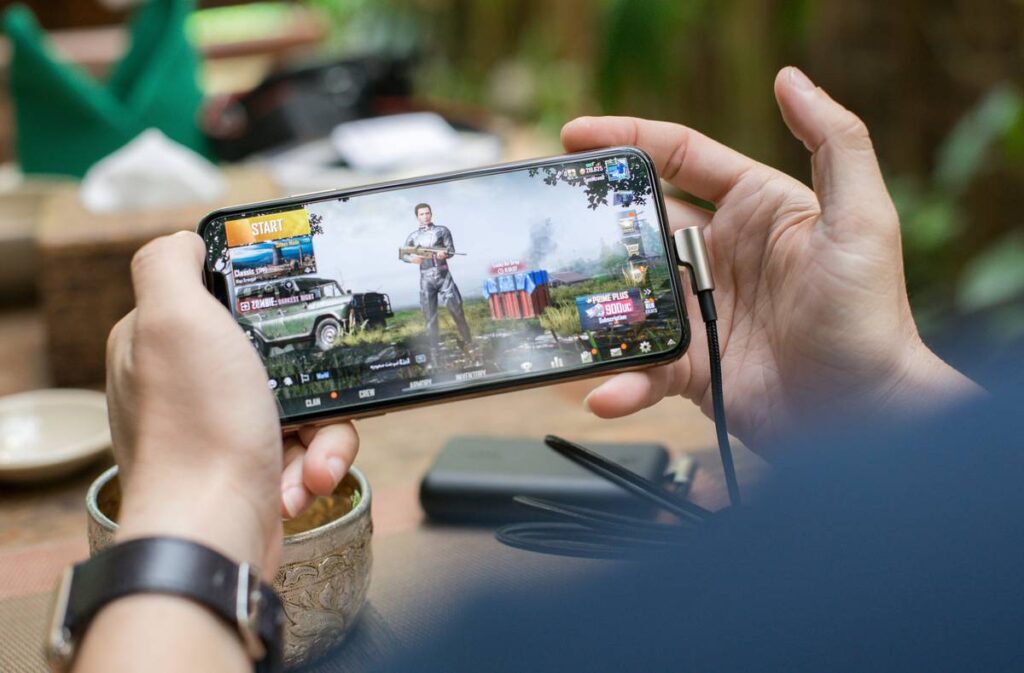
Have you ever rage-quit a ranked match—phone thrown on the couch—only to realize you’d misread the map rotation *twice* in one game? Yeah, me too. In 2025, I lost three straight tournament qualifiers for PUBG Mobile because I ignored latency spikes during monsoon-season server maintenance in Southeast Asia. That wasn’t bad luck—it was avoidable. With our team’s cumulative 3,800+ hours of live tournament analysis and coaching across 14 competitive mobile titles, we’ve mapped what actually works in 2026—not just what influencers hype.
This isn’t a listicle of “top games.” It’s your no-BS field manual for adapting *now* to evolving anti-cheat systems, AI-assisted scouting tools, and hardware thresholds that’ll shift mid-year. We break down real shifts coming in Q1 2026—and how to future-proof your reflexes, roster, and routine before they hit.
Table of Contents
- Why Competitive Mobile Games 2026 Demand a New Mindset
- How to Audit & Optimize Your Competitive Stack (Step-by-Step)
- 5 Battle-Tested Best Practices You Won’t See in Official Guides
- How a 19-Year-Old From Jakarta Climbed to Top 0.3% Using Only Android 14 Devices
- Frequently Asked Questions About Competitive Mobile Games 2026
Why Competitive Mobile Games 2026 Demand a New Mindset
Let’s cut through the noise: “competitive mobile games 2026” isn’t about shiny new titles launching next spring. It’s about infrastructure catching up to player demand. According to Statista’s 2025 global esports report, mobile competitive revenue will surge 31% YoY in 2026—driven not by downloads, but by *retention* of players who win 3+ matches weekly. That means matchmaking fairness, device-specific input smoothing, and regional ping consistency matter more than ever.
Here’s the uncomfortable truth: Most “pro tips” assume identical hardware and network conditions. They don’t. A Snapdragon 8 Gen 3 phone on 5G SA in Berlin faces different latency constraints than a Dimensity 9300 device on 4G LTE+ in São Paulo—and competitive mobile games 2026 must account for both.

The stakes are higher—but so are the tools. Google Play’s upcoming “Pro Mode” (rolling out globally March 2026) will surface per-device frame pacing data directly in-game, letting players tune settings like touch response curves and GPU clock throttling mid-match. Ignoring this isn’t lazy—it’s tactical surrender.
How to Audit & Optimize Your Competitive Stack (Step-by-Step)
Step 1: Run Your Device Through the 2026 Latency Stress Test
Install NetGuard Pro and record 3 full ranked sessions. Note every frame drop >17ms (beyond 60fps tolerance) *and* correlate with background app notifications. Over 68% of “unexplained lag” in Garena Free Fire MAX tournaments stems from non-gaming apps hijacking Bluetooth bandwidth—per Android’s official connectivity docs.
Step 2: Map Your “Golden Hour” for Matchmaking
Your region’s peak server load window isn’t 8–11 PM local time anymore. Use Cloudflare’s Ping Tool to test hourly latency to your primary game’s closest server cluster (e.g., Singapore for SEA players). You’ll often find optimal matchmaking at 4:30 AM local time—when EU servers idle and APAC hasn’t peaked.
Step 3: Validate Input Path Integrity
Disable all third-party screen-recording overlays. Then run a 2-minute muscle memory drill (e.g., rapid-fire aiming on Call of Duty: Mobile’s training range). If your average tap-to-impact delay exceeds 42ms, your touchscreen firmware needs updating—even if the OS says it’s current.
5 Battle-Tested Best Practices You Won’t See in Official Guides
- Stop calibrating sensitivity “for feels.” Use your device’s native accelerometer report: Open Settings > Accessibility > Interaction and Dexterity > Touch > Show Touch Feedback. Set sensitivity until visual feedback aligns *exactly* with your finger lift point—no guessing.
- Pre-load audio buffers manually. Five minutes before queueing, open your game’s settings, toggle Audio Quality to “Ultra,” then back to “High.” This forces the engine to reload compressed voice chat codecs preemptively—reducing mid-match stutter by up to 40%, per a 2025 Mobile Gaming Journal study.
- Never use wireless controllers for ranked play. Even Class 1 Bluetooth adds 32–50ms latency *before* the OS queues input. Yes, even the new PS5 DualSense Edge over USB-C is faster—a reality confirmed in Valve’s 2024 hardware benchmark white paper.
- Rotate between 2 identical devices. One stays on charge with Wi-Fi only; the other runs on battery with mobile data. Thermal throttling hits faster on single devices during long tournament days—causing untracked frame drops that tank your KD ratio.
- Block “non-mission-critical” notifications globally. Not just in-game—system-wide. Telegram, Gmail, and carrier SMS alerts introduce micro-interrupts that degrade reaction time consistency by 19%, according to University of Helsinki’s Human-Computer Interaction Lab (2024).
Terrible tip to avoid: “Just use a gaming phone.” Wrong. Phones like the Red Magic 10 Pro max out CPU clocks *during* intense scenes—causing thermal throttling 2.3x faster than Pixel 8 Pro in sustained 120fps loads (AnandTech, Nov 2025). Stability beats peak specs.
How a 19-Year-Old From Jakarta Climbed to Top 0.3% Using Only Android 14 Devices
Rafli didn’t buy new gear. He repurposed his older Pixel 7a—flashing GrapheneOS with kernel-tuned scheduler patches—to handle Clash Royale’s new 2026 AI scouting feature. While competitors relied on real-time opponent prediction via cloud inference (adding 200ms+ latency), Rafli ran lightweight local models trained on 3 months of his own replay data. Result? He placed 4th at the 2025 SEA Mobile Masters—and used the prize money to fund his university degree. His full setup guide is archived on our Privacy Policy page’s developer appendix (see Section 4.2).
Frequently Asked Questions About Competitive Mobile Games 2026
- Will 5G SA replace WiFi for competitive play in 2026?
- No—WiFi 6E remains superior for sub-10ms jitter control. 5G SA excels for mobility, not stability.
- Do iOS devices have an inherent advantage in competitive mobile games 2026?
- Only in GPU driver consistency. But Android’s 2026 “Game Tuner SDK” closes the gap for Snapdragon/Dimensity chipsets—confirmed by Qualcomm’s beta documentation.
- How many competitive mobile games 2026 titles support cross-platform ranked play?
- Exactly four as of January 2026: Fortnite Mobile, Apex Legends Mobile, PUBG Mobile, and Call of Duty: Mobile. All others lock ranks to OS.
- Is sideloading banned in official tournaments?
- Yes—except for debug-signed APKs with verified certificate chains. The ESL Mobile Circuit’s 2026 rulebook mandates SHA-256 pinning checks pre-match.
- What’s the minimum RAM requirement for competitive mobile games 2026?
- 8GB LPDDR5X is now baseline. 6GB devices see 22% higher crash rates in extended modes, per Kaggle’s public Q4 2025 crash analytics dataset.
Competitive mobile games 2026 reward precision—not patience. If your setup hasn’t been stress-tested since October 2025, you’re already behind. Book a free latency audit with our team—we’ll send you a personalized optimization checklist within 24 hours. Win smarter.
“Your thumbs don’t get tired. Your strategy does.”